In the JS ecosystem, various libraries constantly appear and disappear. I've tried many different tools myself, and here's my current stack for CLI tool development as of 2025.
Lightning-fast installation: It's incredibly fast. You can set up environments blazingly fast both locally and in CI
Native TypeScript support: You can directly execute TypeScript files with bun run, improving the development experience
Excellent compatibility: Very high compatibility with Node.js - I haven't encountered any compatibility issues so far
Useful extensions: bun shell is particularly handy for writing simple scripts or executing shell scripts within package.json
While pnpm had the edge for monorepo usage, bun is catching up with the recent implementation of pnpm style isolated install. Once this stabilises, bun will become more suitable for monorepos as well.
I currently use tsdown, a bundler for JS/TS based on rolldown, which is written in Rust.
Rolldown is a project that aims to reimplement rollup in Rust. While still under development, it's promising because it aims to achieve rollup's excellent tree shaking capabilities with Rust's performance.
Here's why I chose tsdown:
Blazing fast builds: Overwhelming speed thanks to being Rust-based
Superior tree shaking: Inheriting rollup's design philosophy, it offers more accurate tree shaking than esbuild or bun build
Integration with quality assurance tools: Excellent integration with tools like publint and unplugin-unused
Rollup plugin compatibility: Being able to use unplugin plugins directly is a huge advantage
Simple configuration: Very simple config files, including type generation and source map generation
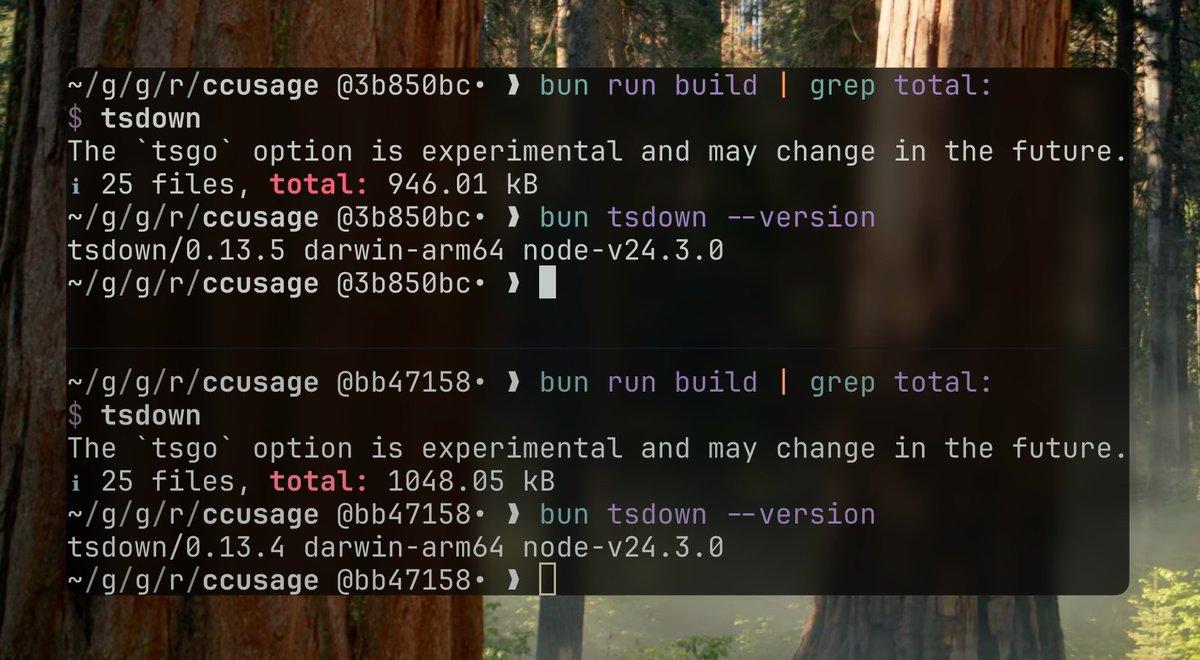
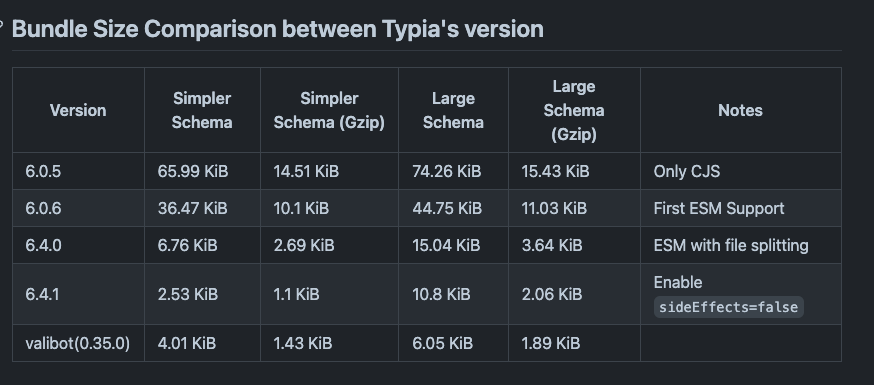
Continuous improvements: Benefits from rolldown updates, such as bundle size reduction
When comparing bundle size and build times, I've achieved better results than unbuild, mkdist, tsup, and bun build.
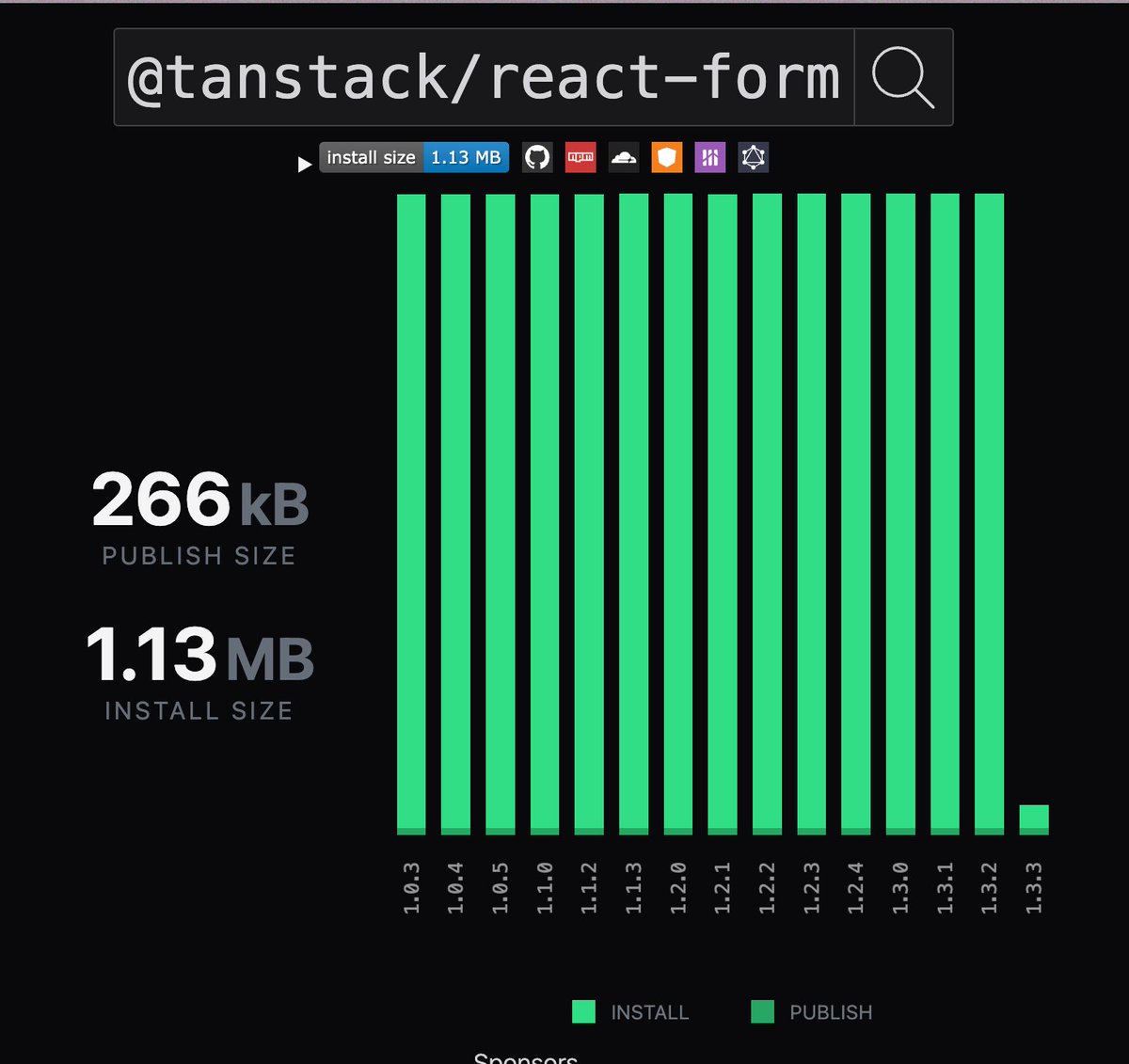
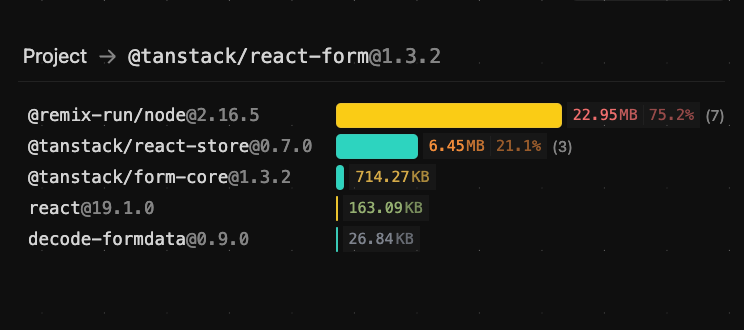
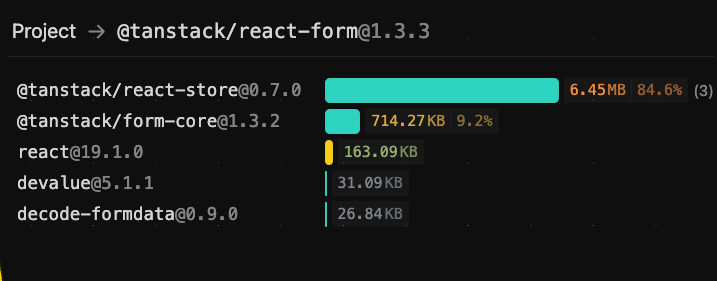
When distributing CLI tools, I bundle all dependencies and keep dependencies at zero. There are clear reasons for this:
Faster installation: Dependency resolution is slow. While bun is fast, it's noticeably slower with npm or deno
Efficient code distribution: Tree-shaking ensures only actually used code is included. Distributing as dependencies would mean downloading unnecessary code
Operational stability: Avoids issues from version mismatches. CLI tool users don't need to worry about dependency versions, so including all packages at a specific point ensures consistent operation
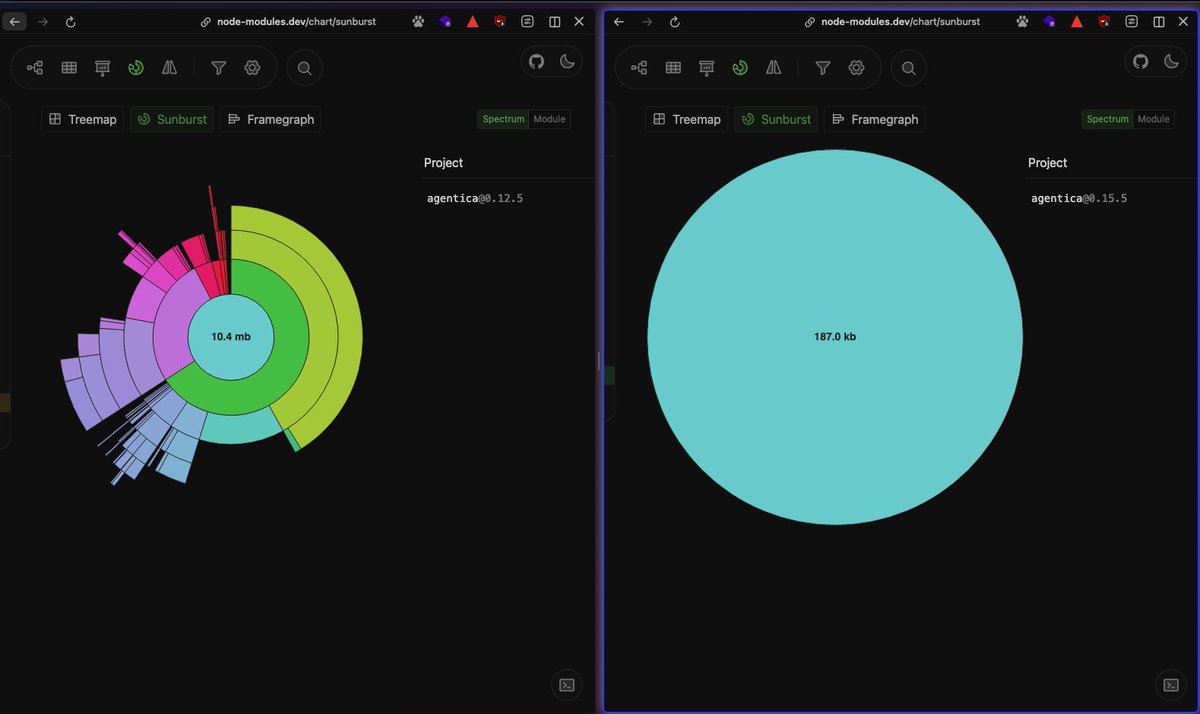
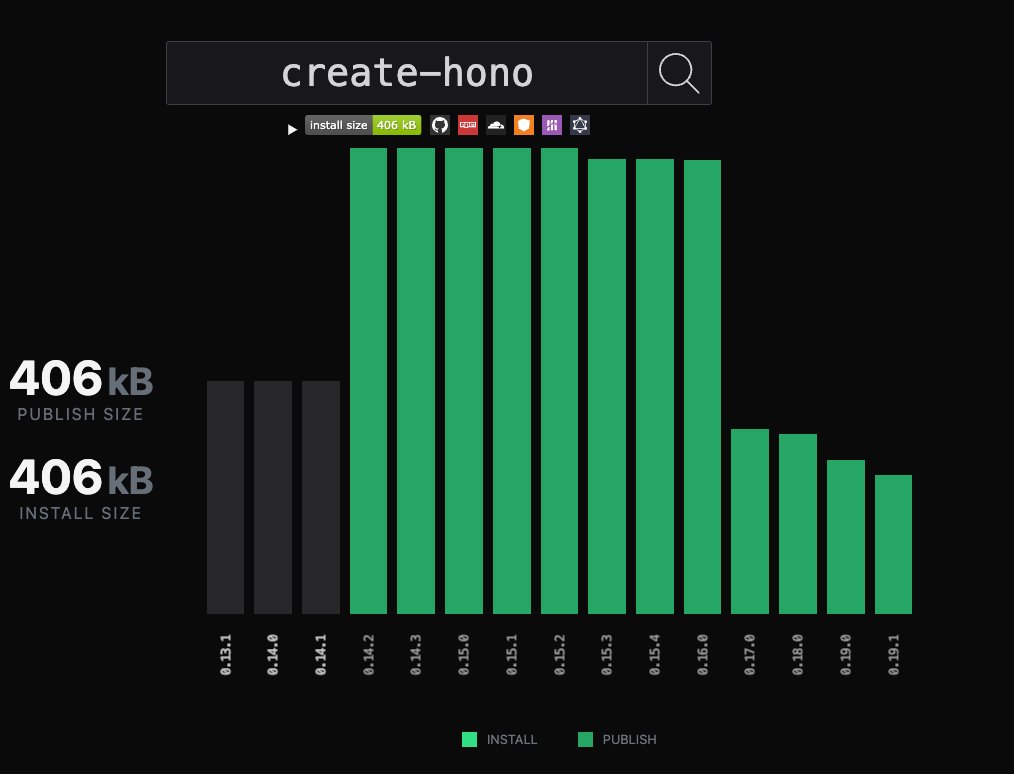
This strategy significantly reduces distribution size:
constcommand=define({toKebab: true,args: {endpoint: {type: 'custom',alias: 'e',// alias configurationdefault: 'http://localhost:11434',description: 'The endpoint to Ollama server.',parse: validateURL,// custom validation function can be set},openaiEndpoint: {type: 'custom',alias: 'o',default: 'https://api.openai.com',description: 'The endpoint to OpenAI server.',parse: validateURL,},port: {type: 'number',alias: 'p',default: awaitgetRandomPort(),description: 'The port to run the server on. Default is random',},hostname: {type: 'string',default: '127.0.0.1',description: 'The hostname to run the server on.',},cloudflared: {type: 'boolean',alias: 'c',default: true,negatable: true,// automatically generates `--no-cloudflared` from `--cloudflared` option (https://gunshi.dev/guide/essentials/declarative-configuration#negatable-boolean-options)description: 'Use cloudflared to tunnel the server',},},examples: ['curxy'].join('\n'),// Type-safe argument type definitionsasyncrun(ctx){constapp=createApp({openAIEndpoint: ctx.values.openaiEndpoint,ollamaEndpoint: ctx.values.endpoint,OPENAI_API_KEY,});awaitPromise.all([Bun.serve({port: ctx.values.port,hostname: ctx.values.hostname},app.fetch,),ctx.values.cloudflared&&startTunnel({port: ctx.values.port,hostname: ctx.values.hostname}).then(asynctunnel=>ensure(awaittunnel?.getURL(),is.String)).then(url=>console.log(`Server running at: ${bold(terminalLink(url,url))}\n`,green(`enter ${bold(terminalLink(`${url}/v1`,`${url}/v1`))} into ${italic(`Override OpenAl Base URL`)} section in cursor settings`,),)),]);},});
I use Vitest for testing CLI tools. Vitest offers several advantages for CLI tool development:
High performance: Extremely fast execution thanks to its native ES modules support
Safe environment variable mocking: Provides safe and isolated environment variable mocking, crucial for CLI tools that depend on environment configurations
In-source testing: Allows writing tests directly alongside source code using if (import.meta.vitest), eliminating the need to export functions purely for testing purposes
In-source testing is particularly valuable for CLI tools because it allows testing internal functions without cluttering the public API. You can keep implementation details private while ensuring comprehensive test coverage.
I previously had high hopes for jsr-io. JSR had attractive features like publishing TypeScript directly without building and automatic documentation generation. However, for CLI tool distribution, it had these issues:
The only practical option to run tools on jsr is using deno
CLI tool users don't necessarily use deno
When you can control your own build process and documentation generation, JSR's advantages diminish
Security concerns are often raised about npx execution. To address this, I use OIDC authentication and CI/CD through GitHub Actions to demonstrate package safety. This allows users to verify that distributed packages are trustworthy.
bunx is bun's package execution tool, essentially bun's version of npx. It provides functionality to temporarily download and execute packages from the npm registry with these characteristics:
For my OSS projects, I recommend using bunx when running CLI tools from npm. I generally don't recommend global installation like npm i -g <package> for my packages.
Here's why:
Fast installation: Uses bun install, making it significantly faster than deno npm:foo or npx -y foo, especially noticeable with tools that have many dependencies
Clean environment: Creates cache in /private/tmp, avoiding user environment pollution
Automatic updates: Cache automatically revalidates every 24 hours, ensuring you always use the latest version (clear advantage over global install)
For packages with appropriate bundle sizes where frequent version pinning isn't necessary, CLI execution via bunx foo balances user convenience and reduces maintenance burden. I believe bunx execution is optimal, especially for frequently updated CLI tools like ccusage.
renovate: Automates dependency updates. Highly configurable with auto-merge capabilities
eslint: Tool for maintaining code quality. I use biome with fewer contributors, but with more contributors, rules make reviews easier. Rules are managed with @ryoppippi/eslint-config. Looking forward to oxlint's type-aware rule development
pkg-pr-new: Automatically publishes packages to npm-compatible registry per commit. Easy to test locally
bun-only: Used when creating tools that only work with bun
I've introduced my stack for CLI tool development as of 2025. Looking back, I'm reminded of how much I rely on various libraries and ecosystems to advance my development.
I look forward to new libraries and tools making CLI tool development even more convenient in the future.








 kazupon's gunshi:
 jsr-io. JSR had attractive features like publishing TypeScript directly without building and automatic documentation generation. However, for CLI tool distribution, it had these issues:
